
How to turn one long range-session video into individual swing clips
Recording a whole range session is easy. Getting anything useful out of it is not. A 30-minute video with 50 swings means scrubbing back and forth, trimming each one by hand, and doing it all again next time. Here’s how to skip that.
1. Record the whole bucket in one go
Set your phone on a stand behind you, aimed down the target line, and press record once. Hit your bucket as normal. There’s no need to stop between swings or call out shots. If you’re not sure where to put the camera, start with our filming guide.
2. Pick the video in Comet
Open Comet and choose your video from Photos. You can select several videos at once, which is handy if you recorded in a few chunks. Comet only gets access to the videos you pick, not your whole library.
If a video is stored in iCloud, open it in Photos first and let the full-resolution version download, then import it.
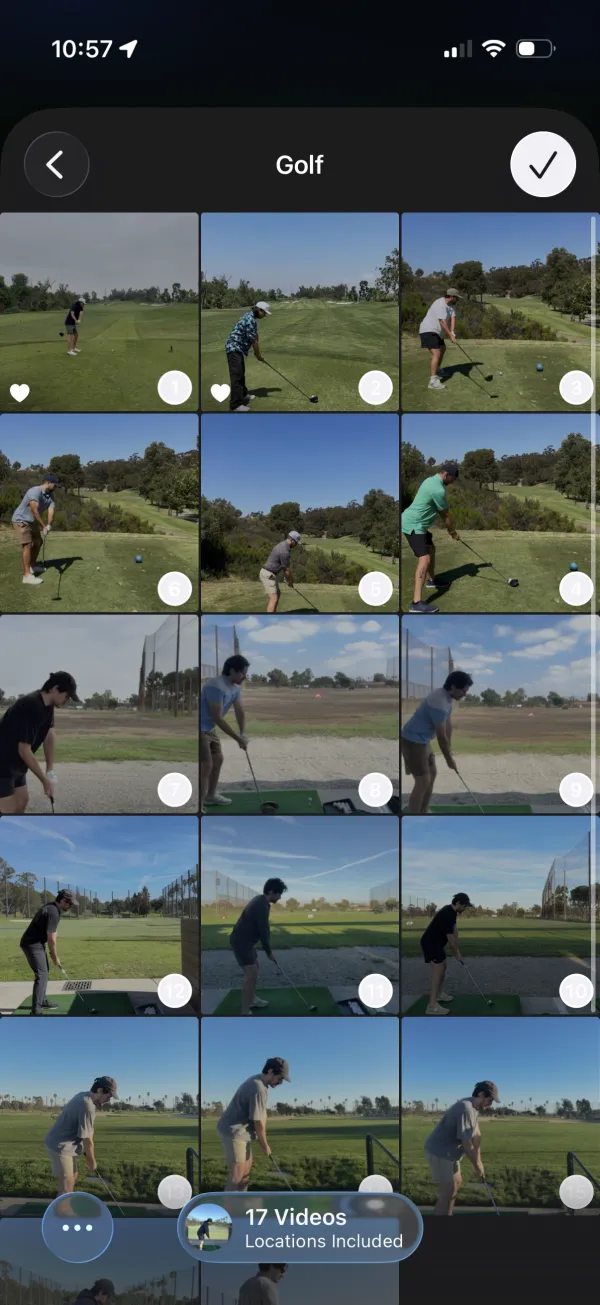
3. Let Comet find the swings
Comet scans the video, finds each swing, and cuts it into its own clip. You’ll see the count go up as it works. If you’d like more or less footage before and after each swing, change the clip window in Settings for future clips.
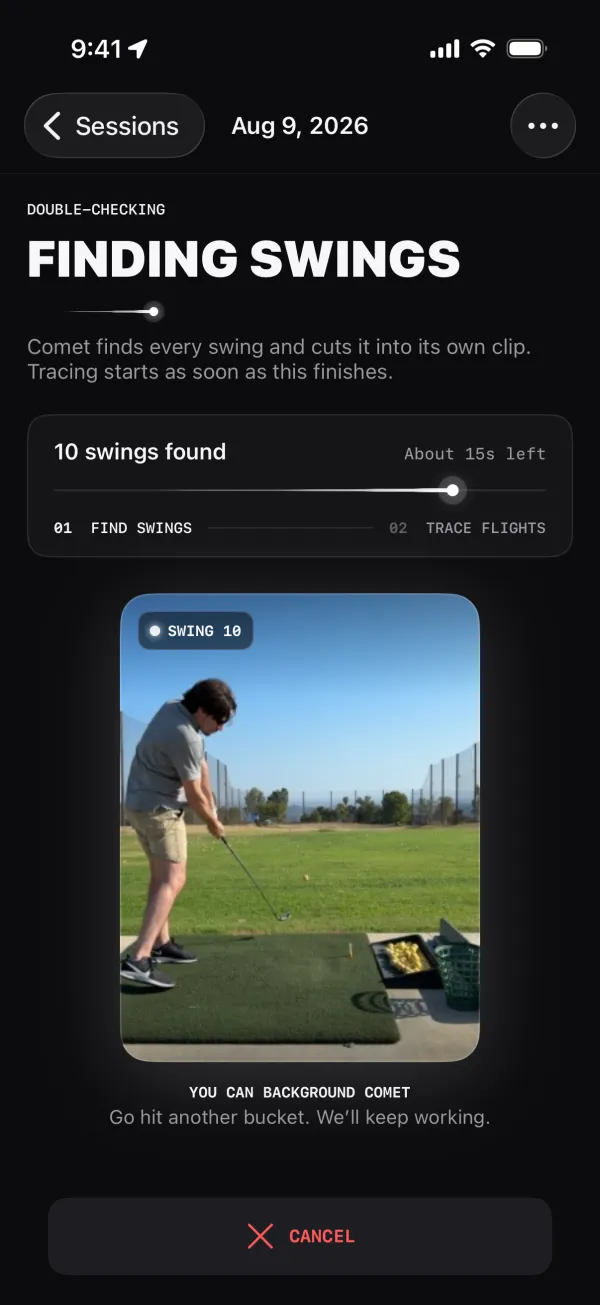
4. Go hit another bucket
Once the clips are ready, each one is queued for a ball-flight trace automatically. Traces run one at a time on your iPhone, and Comet asks iOS to keep working after you leave the app. If iOS pauses the work, just reopen Comet and it picks up where it can.
For long sessions, keeping your phone plugged in and closing other demanding apps can help.
5. Review your shots
Open the session to see every swing as its own clip, with traces appearing as they finish. Favorite the ones worth keeping, then save or share them. If a trace didn’t work out, retry that shot or use Retry failed traces from the session menu.
Why this beats trimming by hand
- One recording, every swing. No more starting and stopping the camera between shots.
- No scrubbing. The clips cut themselves.
- Traces included. Every clip gets a ball-flight trace without you touching it.
- Private. All of it happens on your iPhone; nothing is uploaded.