
What makes Comet different from other golf tracer apps
There are plenty of ways to put a line on a golf shot. Many of them come with conditions: trim the clip first, lock the camera on a tripod, tap the ball, mark where it landed. Comet was built around a simpler idea. Film the way you already film, hand over the video, and get your shots back clipped and traced.
Here’s what that means in practice, and where Comet is honest about its limits.
1. One clip or a whole session
Got a single swing your buddy filmed on the 1st tee? Comet traces it. Recorded a 30-minute bucket? Comet handles that too. Give it one long video, or a whole stack of them, and it finds every swing and cuts each into its own clip. Fifty swings in one recording become fifty clips, with no scrubbing or trimming. If you want more or less footage around each swing, set the clip window once in Settings.
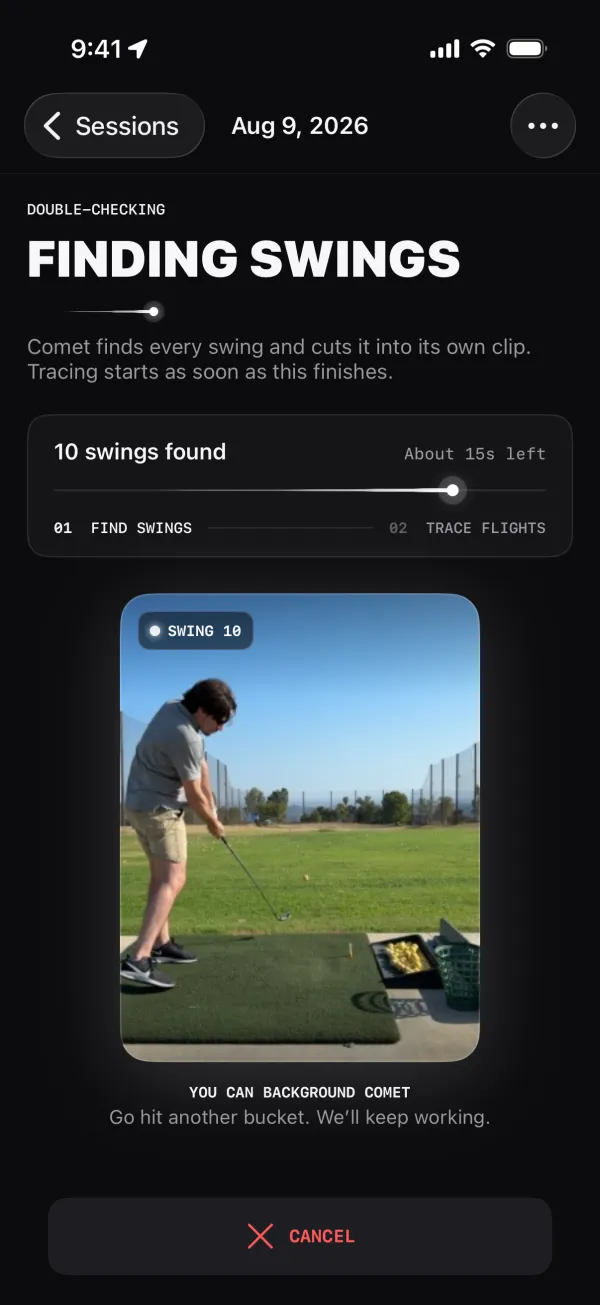
2. On the range or out on the course
Comet isn’t only for the practice bay. Tee shots, approach shots, a drive down the fairway against open sky: if the ball is in the video, Comet can trace it. The links drive on our homepage gallery was filmed on a course, not a range.
3. Handheld, panning, and zooming are fine
Real golf video isn’t shot on a tripod. Someone holds the phone, follows the ball into the sky, or zooms in as it lands. Comet handles that kind of camera movement, including panning and zooming, so you don’t need special gear or a locked-off shot to get a trace. A stand is still the easiest way to film yourself, but it isn’t a requirement.
4. Tracing is fully automatic
A manual tracer asks you to find the impact frame, tap the ball, and often mark where it landed or bend the curve yourself. That’s fine for one highlight and painful for a bucket.
In Comet, every clip is queued for a ball-flight trace the moment it’s cut. You don’t tap anything. Traces finish one after another, and you open your shots to find the flight already drawn.
5. Your video never leaves your iPhone
Comet does its swing detection, clipping, and ball tracing on the device. Your videos, clips, and traces are not uploaded to us or anyone else, so there’s no upload to wait on and nothing to trust a server with. There’s also no account to create: no email, no profile, no sign-in.
Try it yourself: after Comet’s first launch, which needs a connection once for setup, put your iPhone in Airplane Mode and run a video saved on your phone. Comet still finds the swings, cuts the clips, and traces every shot.
Read the Privacy Policy for exactly what limited diagnostics the app does collect.
6. It keeps working while you keep hitting
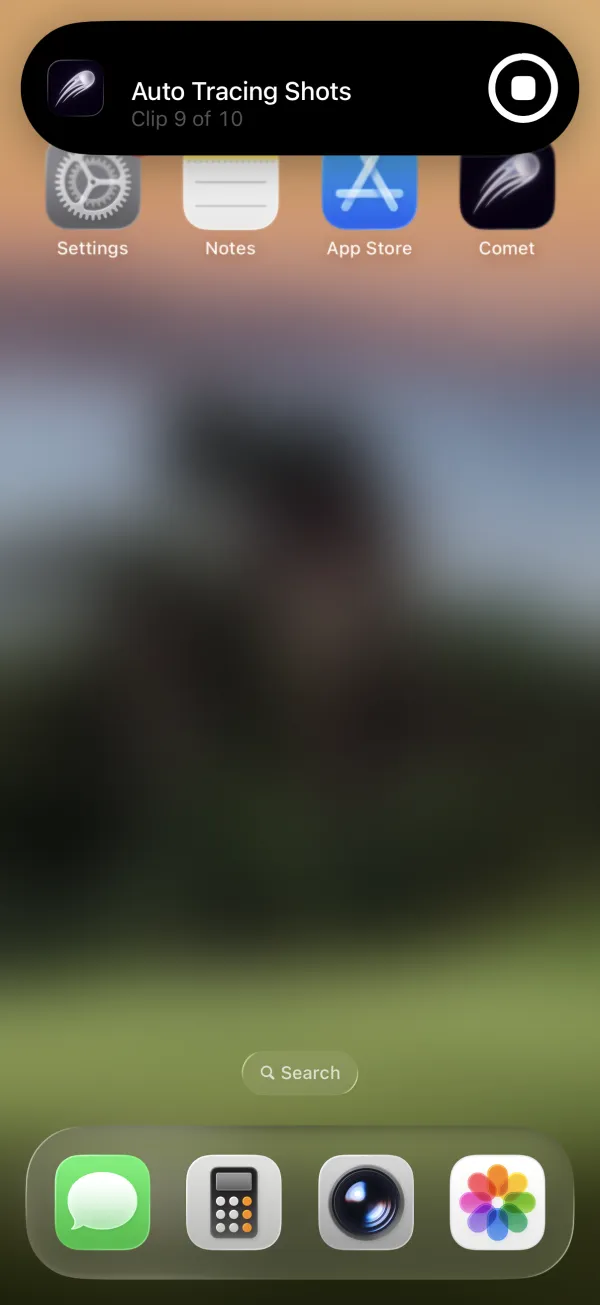
Tracing a whole session takes time, so Comet asks iOS to keep clipping and tracing after you leave the app. A Live Activity shows progress while you’re away. If iOS pauses the work, reopen Comet and it picks up where it can. Start a session, put your phone in your bag, and hit another bucket.
7. Share it your way, faces included
When a shot is worth showing off, export it with its trace drawn in, or pick several shots and Comet joins the swings into one montage video. Filming a friend, or someone in the next bay? Comet can blur, pixelate, or drop an emoji over every face before you share. Faces are detected on your iPhone, and only the exported copy changes, so your original stays untouched. These exports are part of Comet Pro.
8. The traces look the way you want
Pick a trace style, with presets like Glow, Broadcast, Comet, and Neon, adjust the color, line, and effects, and make it your default so every new shot comes out in your look.
9. You can try it properly for free
Comet is free to download and includes 10 free scans every month, enough to run real sessions before deciding anything. Comet Pro is an optional subscription for saving and sharing clips, additional scans, and other features.
Where Comet is not the right tool
Being clear about this matters as much as the rest:
- It’s not a launch monitor (yet). Today, a trace shows the ball’s path in your video. It doesn’t measure carry distance, ball speed, or spin. Measured ball data is in the works.
- The ball has to be visible. A fully visible golfer, good light, and a ball you can actually see in the video give the best results. Some shots may not produce a trace, and you can retry any that fail. Our filming guide has tips.
- It’s iPhone only. Comet runs on iPhone with iOS 26 or later.
The short version
If you want one perfect highlight and don’t mind doing it by hand, any tracer will do. If you want your shots back the way you actually filmed them, one clip or a whole session, range or course, tripod or handheld, with every swing clipped and every ball flight traced and nothing to trim, tap, upload, or sign up for, that’s what Comet is for.